The Block Builder
The Block Builder component is a NEO field component that allows editors to add blocks to a page from a predefined selection of blocks. We can have multiple block builders in a page, but it must have a specific name and we will have to manually add blocks to each new block builder’s NEO field, details on this below. All blocks can be used in or outside of the Block Builder either including them in the page as normal or when using Auto Block Render
The default Block Builder#
The twig for the blockBuilder can be found here: _inc/components/blocks/blockBuilder.twig
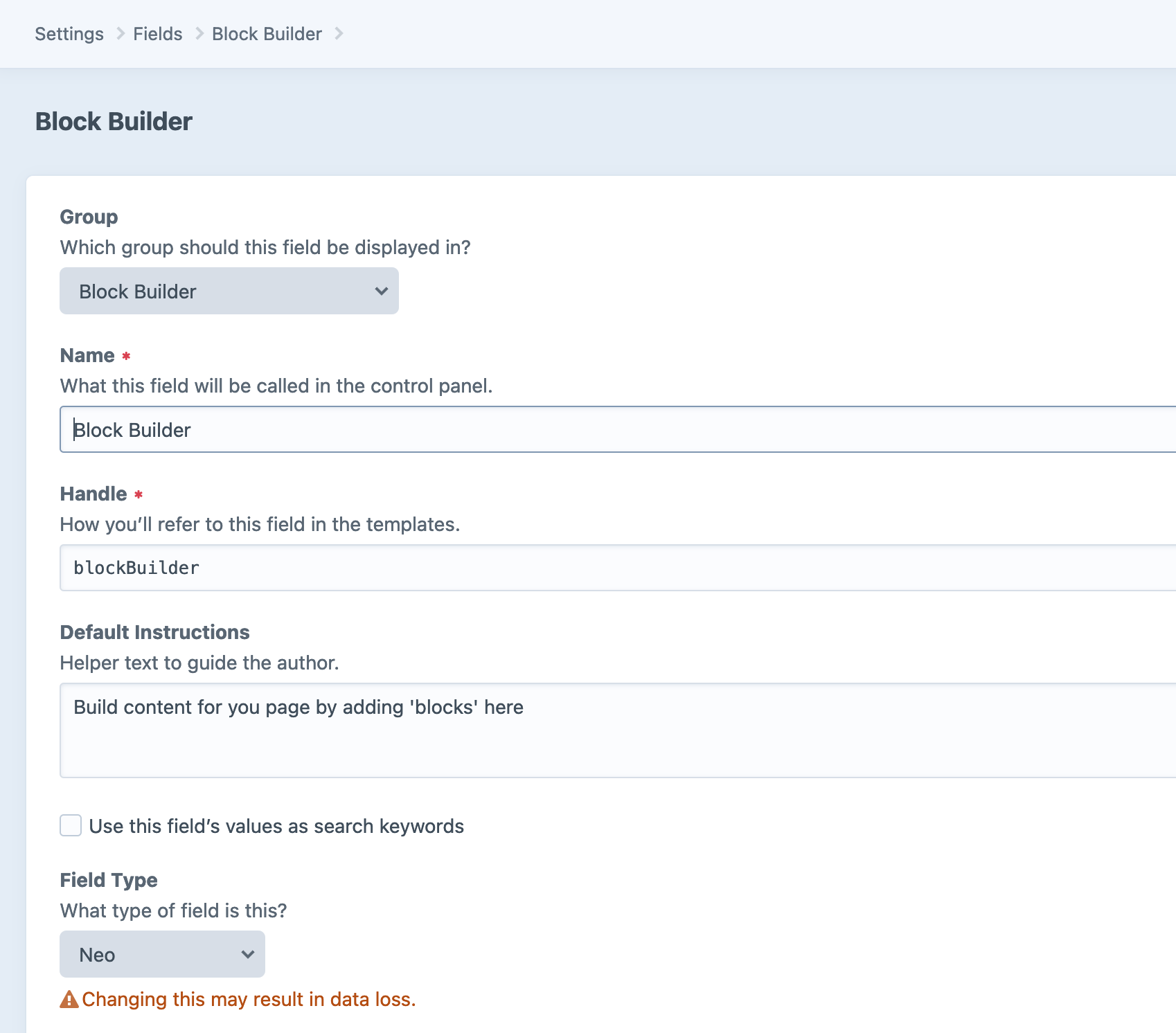
The Craft field in the CMS can be found by:
- Firstly, open up the Craft CMS Admin Panel, and Navigate to
Settings->Fields - From the fields sidebar, select the
Block Buildercategory. - The default Block Builder
blockBuildershould be defined in the database by default.

Using the Block Builder#
Include the blockBuilder.twig component in the page, and add it to your entry type.
Aditional Block Builders#
We have can have multiple Block Builders on an Entry Type. This is useful for limiting blocks to certain sections, to do this we create a block builder for each set of blocks we want allowed on a page.
To create an additional block builder these steps:
Make a new Neo entry field - It should have a handle that is prefixed with
blockBuilder_x_e.g.blockBuilder_x_myNewBlockBuilder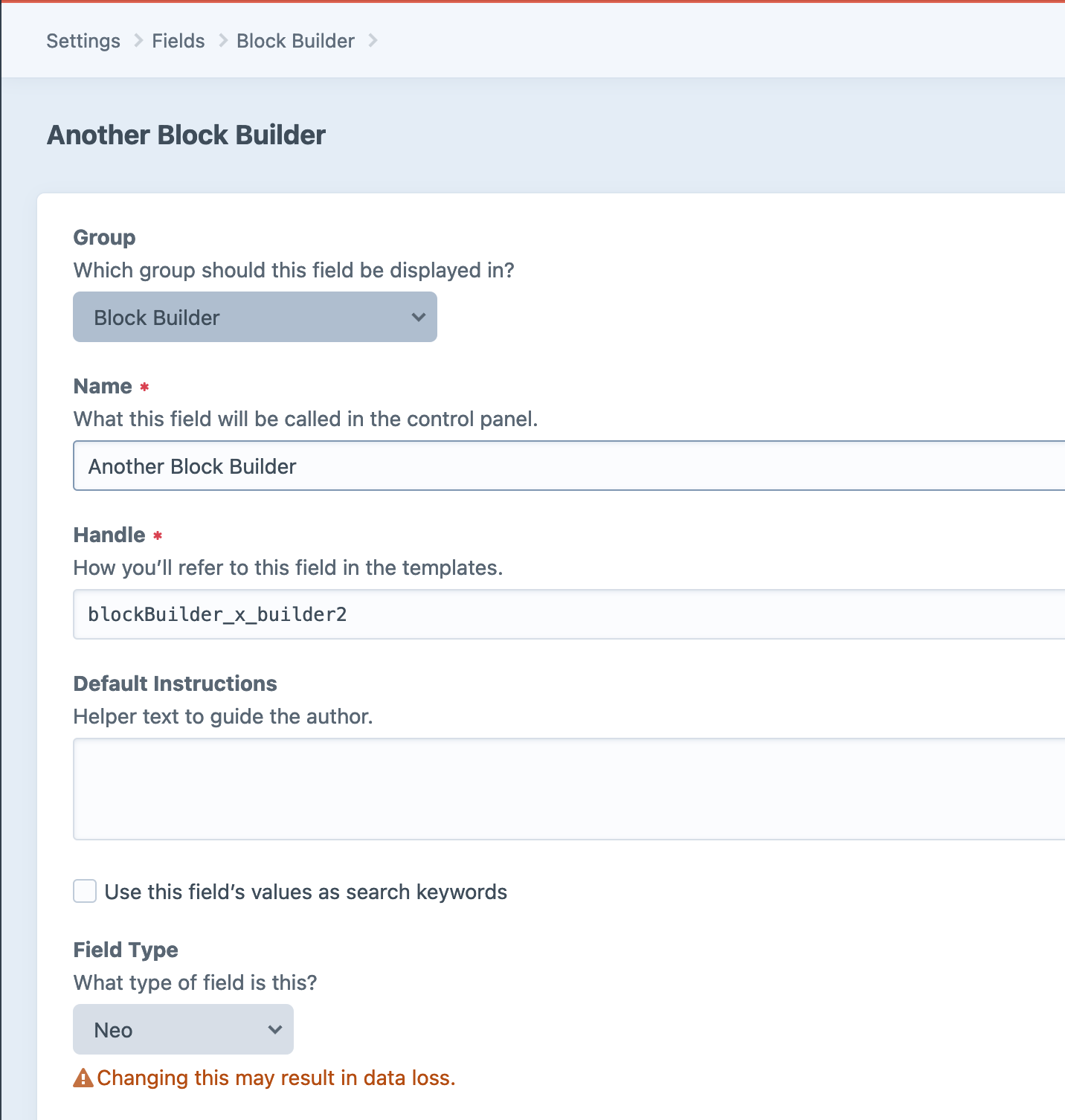
Add a block to the new Block Builder - Add a NEO block type to our new Block Builder field. The name of this new Neo Block type should be the same as it's field name e.g.
masonryGrid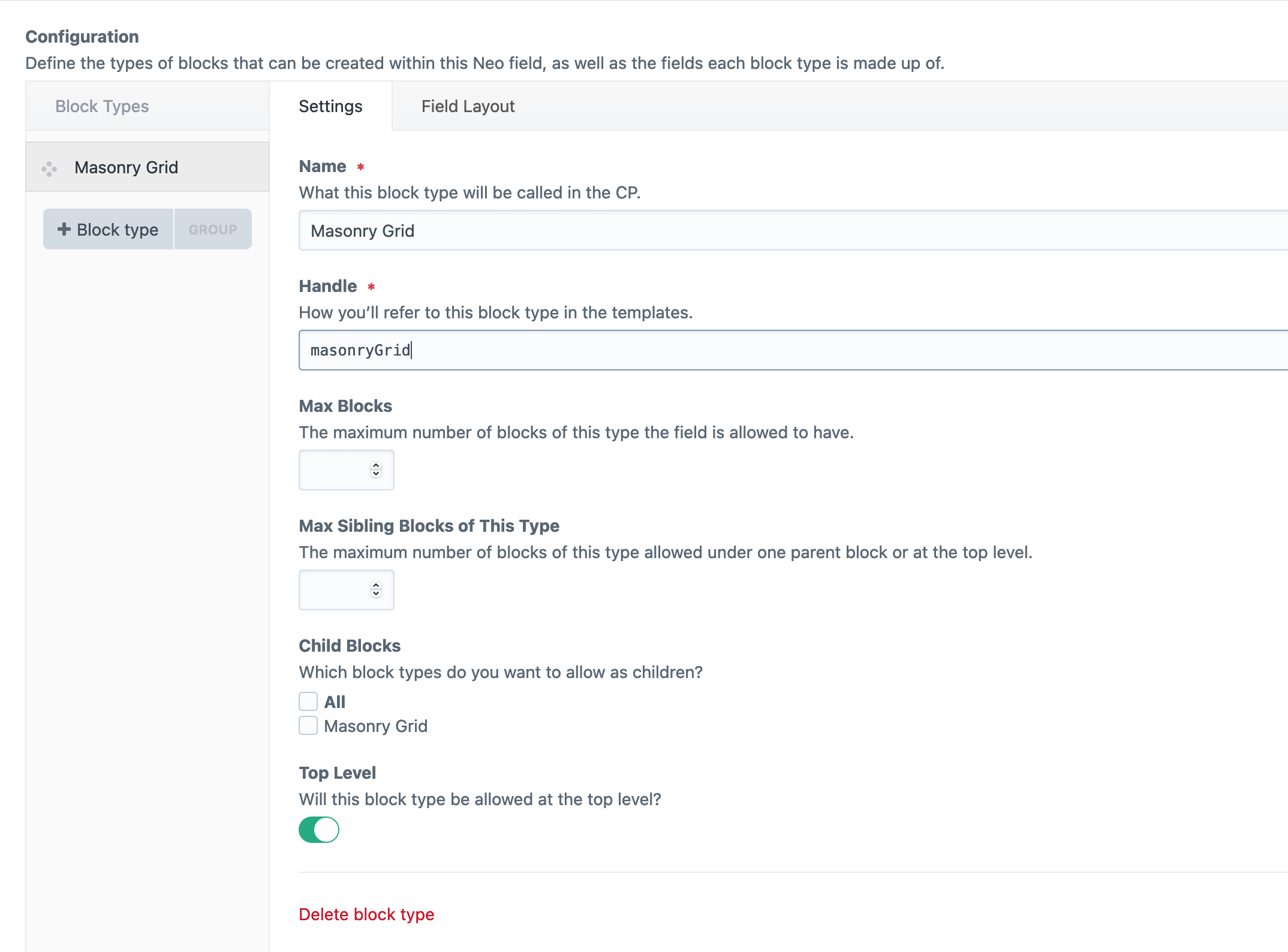
Add the matrix/supertable field for the block we wish to add to the NEO block’s fieldset.
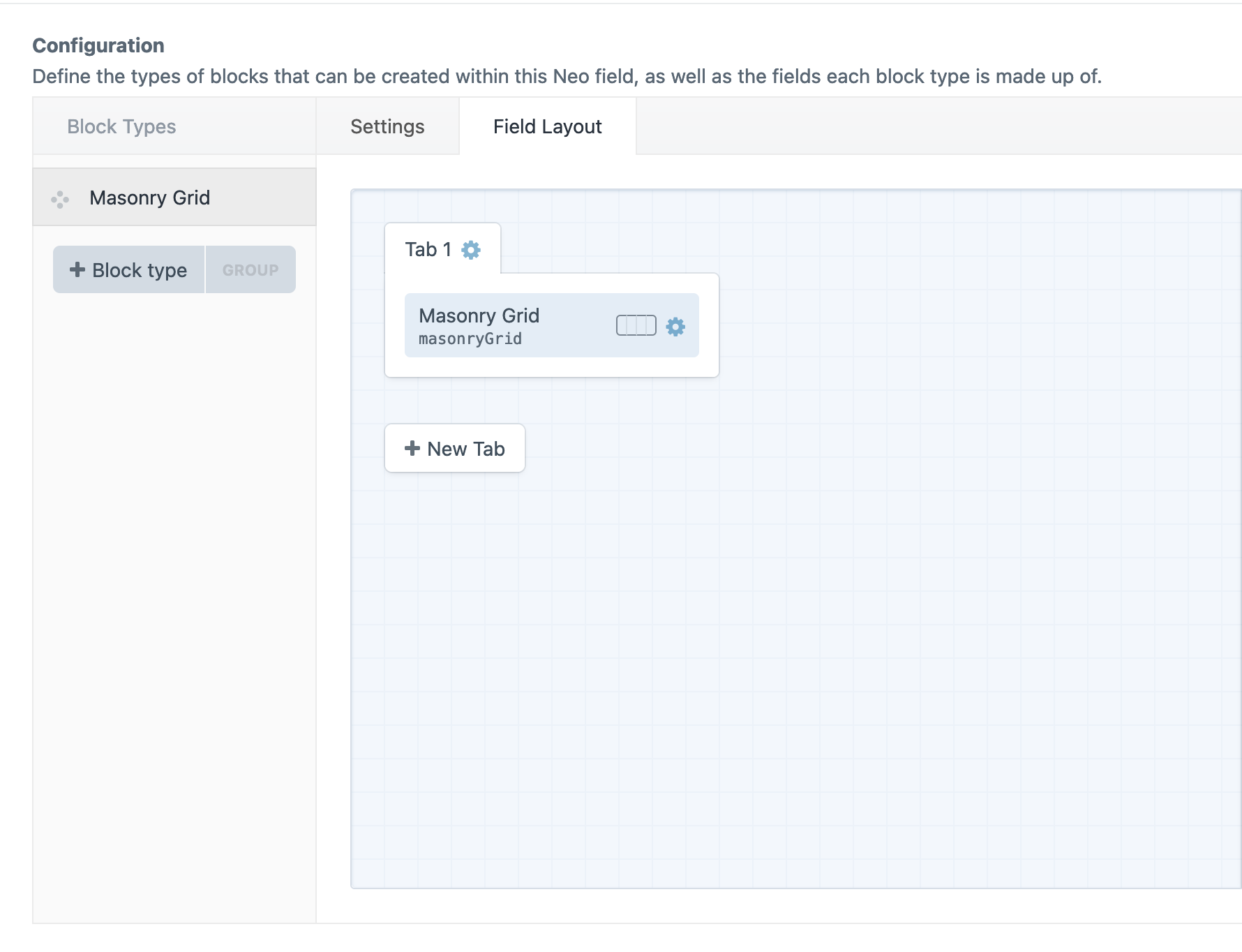
Add the new block builder to a template:
Adding a missing Block Builder field#
If there is no blockBuilder filed add a new Neo field with the handle blockBuilder in the Block Builder group.